
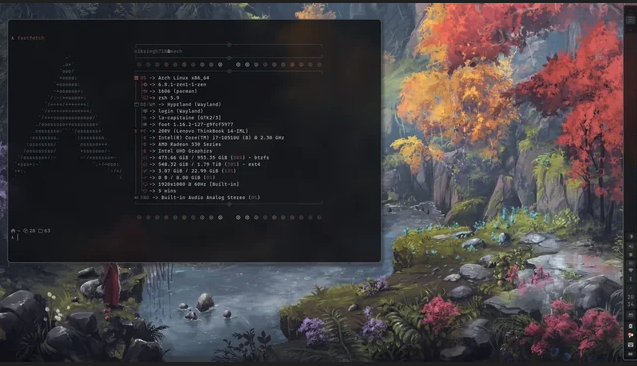
💡 Quick Start: Essential Hyprland Setup
Setting up a standalone Wayland compositor like Hyprland requires manually assembling your desktop environment and addressing strict security quirks:
- The Core Ecosystem: A functional desktop requires an app launcher (
rofi-wayland), a status bar (waybar), wallpaper utilities (swaybg), and a notification daemon (dunst). - The Polkit Fix: Standalone compositors don’t launch password prompts automatically. To stop root applications (like GParted) from crashing, you must add
exec-once = /usr/lib/polkit-kde-agent-1to yourhyprland.conffile. - Launching Root Apps: Avoid using standard
sudoin the terminal for graphical software; use thepkexecwrapper instead (e.g.,pkexec gparted).
Here is a complete, master installation and configuration guide for Hyprland, specifically tailored to include crucial extras (like the Polkit agent fix) and standard performance components for an Arch/CachyOS system.
Core Ecosystem Components:
- hyprland: The core Wayland compositor.
- rofi-wayland: The application launcher menu.
- waybar: The customizable status bar at the top/bottom of the screen.
- swaybg: Handles rendering desktop wallpaper backgrounds.
- dunst: Light-weight on-screen system notifications.
- polkit-kde-agent-1: The security authentication agent (allows apps to ask for root passwords).
- xorg-xwayland: A compatibility bridge allowing older X11 apps to run inside Wayland.
Fixing the “Root Application / GParted” Crash Quirk
By default, Wayland blocks applications running with root privileges (like GParted or Timeshift) from displaying windows on a standard user screen. Additionally, standalone compositors do not start a password prompt engine automatically.
Step A: Enable the Password Prompt Pop-up
Open your main Hyprland configuration file (~/.config/hypr/hyprland.conf) and add this line under your autostart (exec-once) section:
exec-once = /usr/lib/polkit-kde-agent-1
Step B: How to Launch Graphical Root Applications
When you need to run a graphical tool with administrative privileges from the terminal, use the pkexec wrapper instead of raw sudo. For example:
pkexec gparted