Introduction to Hypervisors
A hypervisor is the underlying software layer that enables the creation and management of virtual machines (VMs) on a physical host system, allowing you to run entirely isolated guest operating systems alongside your main desktop.
What is a KVM Hypervisor?
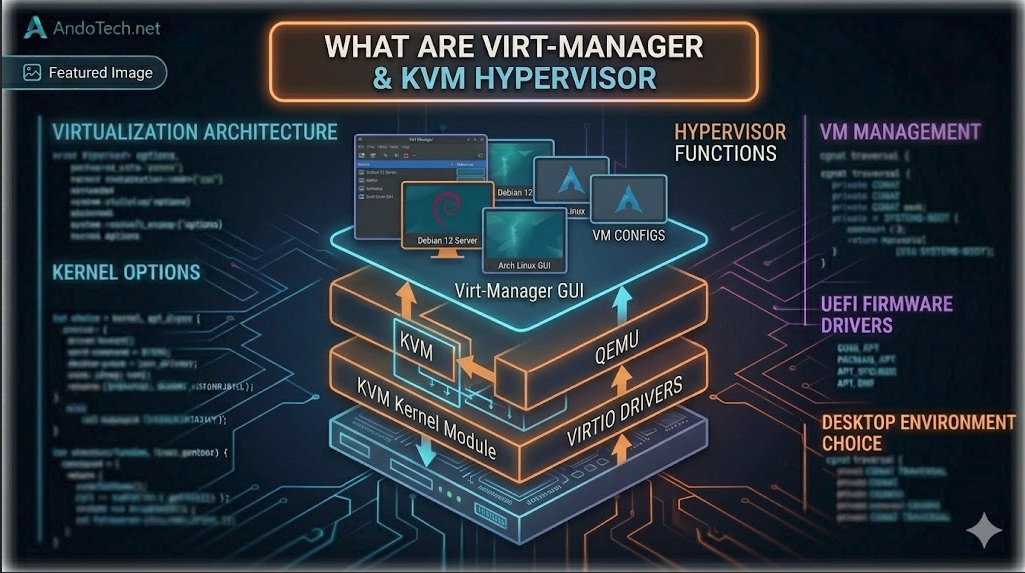
KVM (Kernel-based Virtual Machine) is an open-source virtualization module built directly into the Linux kernel. It effectively turns your operating system into a high-performance hypervisor, allowing guest virtual machines to run with direct, bare-metal access to your physical CPU, memory, and hardware devices.
Because it operates natively inside the kernel space, KVM delivers near-native performance that vastly outperforms traditional user-space virtualization platforms like VirtualBox.
QEMU and its Role
While KVM handles the heavy lifting for processor and memory virtualization inside the kernel, it requires a partner to emulate the rest of the physical PC hardware. That is where QEMU comes in. QEMU is an open-source machine emulator that simulates components like graphics cards, network adapters, hard drive controllers, and USB ports for the guest operating system.
Virt-Manager for Virtual Machine Management
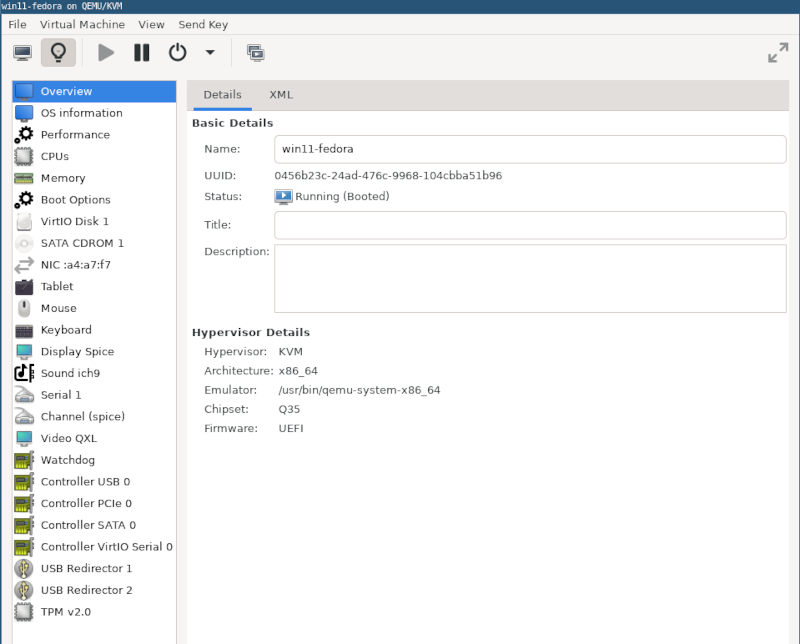
Virt-Manager (Virtual Machine Manager) provides a clean, powerful graphical user interface (GUI) for managing your local virtual machines. It simplifies the process of creating virtual hard drives, configuring virtual networks, assigning system resources, and viewing the live console display of your running guest systems through an intuitive layout.
Host System Requirements
- The Core OS: A Linux-based distribution with KVM and QEMU support installed (fully optimized on CachyOS).
- Hardware Virtualization Extensions: An AMD or Intel processor with virtualization enabled in your motherboard’s BIOS/UEFI (AMD-V or Intel VT-x).
- System Memory: A minimum of 4 GB of RAM for basic host operations, with additional RAM scaled to meet your individual guest machine allocations.
- Management Layer: QEMU and Libvirt installed and running on the host system to orchestrate virtual machines.
Introduction to SPICE
SPICE (Simple Protocol for Independent Computing Environments) is a high-performance communication protocol designed specifically for virtual environments. It handles the display, audio, and device data passing between your host system and the virtual machine window.
Requirements to Run SPICE
To leverage full SPICE optimization, ensure the spice-vdagent daemon is installed and enabled inside the guest virtual machine operating system, and select the SPICE graphics protocol inside your Virt-Manager hardware configuration screen.
Next Steps
Ready to deploy your first virtual machine? Head over to the next guide: [Step-by-Step Guide to Installing a Hypervisor]